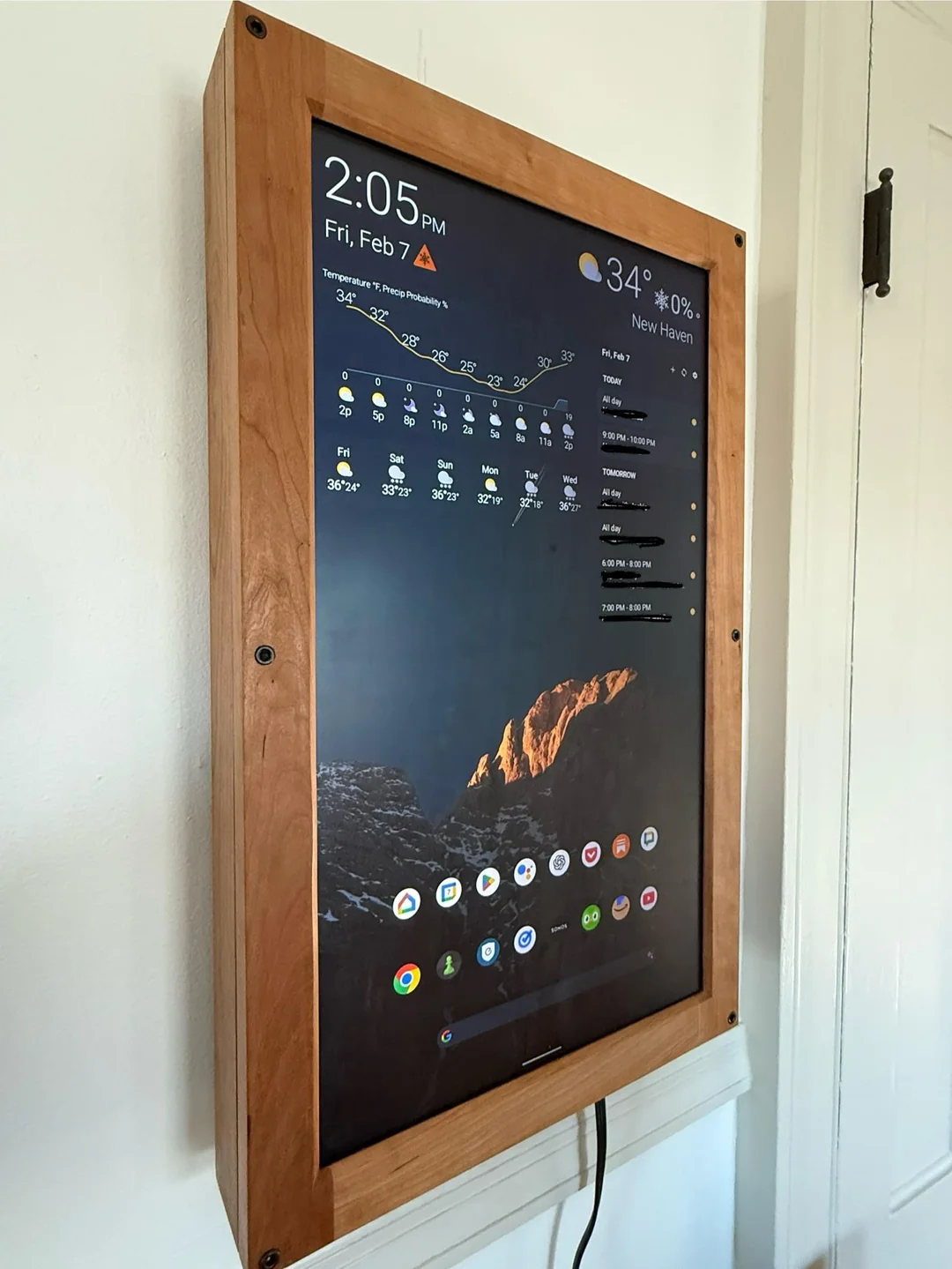
I had a 24-inch touchscreen monitor sitting around from an old project and wanted to turn it into a home dashboard.
The basic goal: weather, calendar, Google Tasks, YouTube while cooking, Sonos control, and a few other apps that make sense on a shared screen in the house. I wanted something interactive, not just a passive display. That ruled out a few of the obvious options.
Hardware and software#
- Display: Dell P2424HT 24-inch touchscreen monitor
- Computer: Raspberry Pi 5, 4GB
- OS: LineageOS / Android 15 for Raspberry Pi 5
- Launcher: Nova Launcher
- Case: Custom wooden enclosure
The Dell P2424HT supports both video and touch over USB-C, which kept the setup simpler than I expected.
For the OS, I used the Android build from KonstaKANG: KonstaKANG LineageOS 22 / Android 15 for Raspberry Pi 5.
Nova Launcher made it easy to set up a home screen with larger icons, widgets, and a layout that feels more like a dashboard than a blown-up phone.
I looked at MagicMirror and Dakboard, but both are built for passive dashboards — weather, calendar, photos, status information. Fine if that's what you want.
I wanted to actually use the thing. Android let me run normal apps: Google Tasks, YouTube, Sonos, a browser, language learning apps, and whatever else I talk myself into installing.
I also tried an old Chromebook. It worked, but it was clunky and hard to customize.
The custom wooden enclosure helps the project feel more like a household object than a loose pile of computer parts.
The enclosure is probably the most interesting part. My brother has a CNC machine in his woodshop, so we measured out the bezel of the monitor and cut a custom wood bezel to fit a wood box we built around it. The display drops in and sits flush.
It makes a bigger difference than I expected. Without it, this is a monitor with a Raspberry Pi taped to the back. With it, it looks like something that belongs in the house — which matters when it's going to sit in a kitchen or living room.
Portrait orientation and touch took some fiddling. I set screen rotation through the Raspberry Pi settings, then forced portrait orientation in Nova Launcher. Not elegant, but it works.
If I had an old Android phone or tablet that supported video and touch over USB-C, that would be cleaner. No Pi, no custom Android build, no extra setup. But I already had the Pi 5 and the monitor, so this was a good use of parts I had lying around.
So far I've used it for calendar, tasks, music, YouTube, quick lookups, and pass-and-play chess with friends. Useful enough to keep around.